
Blogs
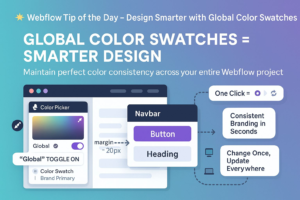
Design Smarter in Webflow with Global Color Swatches
In modern web design, visual consistency isn’t just about aesthetics — it’s a core element of brand recognition, user trust, and user experience (UX). When your website’s colors are inconsistent or manually applied across dozens of elements, it not only leads to design drift, but also makes your workflow inefficient and error-prone. That’s where Webflow’s Global Color Swatches come in.
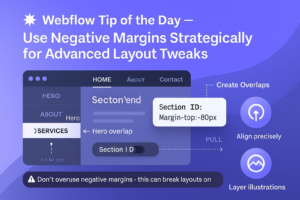
How to Use Negative Margins in Webflow for Creative Layout Control
In modern web design, layout precision matters — and negative margins can be your secret weapon. When used strategically, they allow you to fine-tune spacing, create overlap effects, and enhance visual storytelling without adding extra div blocks or breaking your layout structure. But like any powerful tool, they need to be applied thoughtfully to avoid breaking your site’s responsiveness or

Use Custom 404 Pages to Improve UX & SEO: A Must-Have for Every Website
When users click a broken link or type an incorrect URL, they often land on your site’s 404 error page. While this might seem like a frustrating dead end, it’s actually a hidden opportunity. A custom-designed 404 page not only softens the impact of the error but also plays a crucial role in enhancing user experience (UX) and maintaining your

Supercharge Webflow CMS Performance: Optimize Your Collection List for Speed, SEO & UX
If your Webflow CMS pages are starting to feel heavy or slow — especially when displaying many dynamic items like blog posts or products — you’re not alone. Overloaded Collection Lists can harm user experience, reduce site speed, and negatively impact SEO rankings, particularly on mobile devices. 1. Limit the Number of Items Displayed Per Collection List Displaying too many

How to Add Smooth Anchor Scroll in Webflow (With Custom Code)
Enhance User Experience with Smooth Anchor Scrolling in Webflow Looking to create a buttery-smooth scrolling effect when users click internal links like “Back to Top” or section-based navigation menus in your Webflow website? By default, Webflow instantly jumps to anchor points — which can feel abrupt, especially on longer pages. With just a small snippet of custom CSS code, you

How to Use Webflow Collection List Filters for Smarter CMS Layouts
One of the most powerful features of Webflow CMS is the Collection List + Filters combo. It allows you to dynamically display only the content you want, based on custom rules you define. This is a game-changer when you’re building scalable and content-rich websites like blogs, real estate portals, portfolios, or e-commerce stores. Why This Matters With traditional static
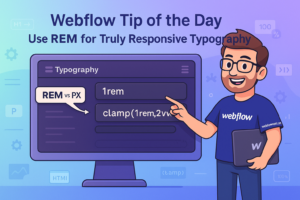
Use REM for Truly Responsive Typography What is REM?
Use REM for Truly Responsive Typography What is REM? REM stands for Root EM, and it’s a relative unit of measurement in CSS. Rather than defining text sizes in absolute units like pixels (px), REM allows font sizes to scale based on the root font size of the document, usually defined in the <html> tag. If the root font size
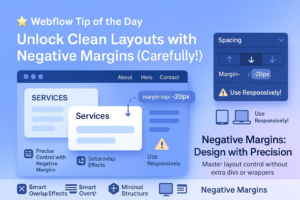
Unlock Cleaner Webflow Layouts with Smart Use of Negative Margins
In modern web design, achieving clean, precise spacing is critical — especially when building responsive, professional-grade websites with Webflow. However, many designers make the mistake of adding unnecessary extra divs or wrapper elements just to control spacing. This increases your DOM size, adds complexity, and can negatively impact both site performance and SEO. That’s where negative margins come in —

How to Use Flexbox Gap in Webflow for Clean, Consistent Layout Spacing
In modern web design, clean spacing isn’t just a visual preference — it’s essential for creating readable, accessible, and responsive layouts. If you’re still using manual margins between elements inside Flexbox containers, it’s time to switch to a smarter approach: Flexbox Gap. Webflow’s native support for the CSS Gap property gives designers a powerful tool to control spacing without cluttering
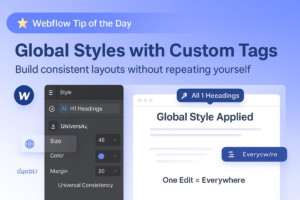
Create Global Styles with HTML Tags for Consistency in Webflow
Design consistency isn’t just a visual choice — it’s a core principle in delivering a user-friendly, scalable, and high-performing website. In Webflow, one of the most effective ways to ensure consistent styling across your project is by leveraging global styles through semantic HTML tags such as <h1>, <p>, <a>, <button>, and more. Rather than creating separate classes for every text

Enhance Navigation UX with “Current” State Styling in Webflow
In modern web design, intuitive and accessible navigation is not just a UX best practice — it’s a vital component of keeping users engaged, reducing bounce rates, and improving SEO performance. When users land on your website, they should immediately understand where they are and how to move around. One powerful but often underutilized feature in Webflow is the “Current”

Style Your Webflow Form Success Messages for a Better UX & SEO Boost
In modern web design, a form success message isn’t just a courtesy — it’s a key part of the user journey and brand communication strategy. When a user submits a form — whether it’s a contact inquiry, newsletter subscription, product demo request, or service booking — what happens next can significantly influence how the user perceives your brand. A thoughtfully

Catch SEO & Accessibility Issues with Webflow’s Audit Panel Before You Publish
In the world of modern web design, achieving visual excellence is just the beginning. True digital success lies in the seamless integration of design aesthetics, accessibility standards, SEO optimization, and site performance. These elements, when harmonized, create a user experience that not only looks beautiful but functions effectively across all devices and platforms. This is where Webflow’s Audit Panel becomes

Add Custom Cursor Effects in Webflow for a Unique, Interactive UX Experience
In modern web design, small touches can make a big impact. One such underused but powerful tool is the custom cursor — a subtle enhancement that turns ordinary mouse movements into branded, immersive interactions. Whether you’re creating a portfolio, a product landing page, or a creative studio site, using a custom cursor in Webflow is a quick, lightweight way to
Use Auto Height on Webflow Sliders for Dynamic, Responsive Content
In the world of responsive web design, content flexibility is essential — especially when using sliders to showcase testimonials, blog previews, case studies, or product features. But what happens when each slide contains different amounts of content? Without the right setup, your Webflow slider may experience layout jumps, excessive empty space, or clipped text — which not only disrupts the
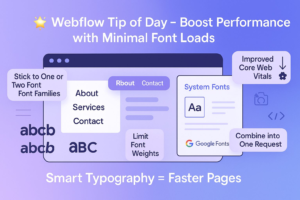
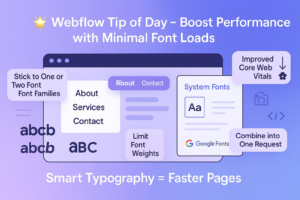
Boost Website Performance by Minimizing Font Loads in Webflow
Typography plays a huge role in your website’s aesthetics and brand personality — but if not handled properly, it can negatively impact load speed, mobile performance, and SEO. One of the most overlooked culprits behind slow-loading sites is excessive font loading. The good news? You don’t have to sacrifice beautiful design to achieve optimal performance. By strategically choosing and loading

Use :focus-visible for Better Accessibility in Web Design
Creating an inclusive and accessible web experience is no longer just a “nice to have” — it’s a core best practice in modern design and development. One subtle but powerful way to improve accessibility is by properly handling focus outlines using the :focus-visible pseudo-class. If you’ve ever removed the default browser outline from buttons or links to make your design

Build Scalable, Design-Driven E-commerce with Webflow CMS + Foxy
In the fast-evolving world of e-commerce, design flexibility and functional depth are essential to deliver exceptional user experiences. While Webflow offers impressive visual control and CMS flexibility, its native e-commerce features can be limiting for businesses that require advanced functionality such as custom checkout flows, subscriptions, digital products, or global payments. That’s where Foxy comes in — a powerful and
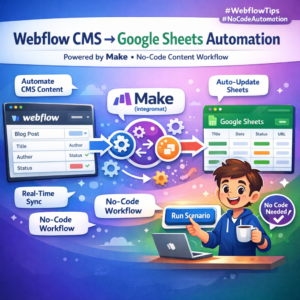
Connect Webflow CMS to Google Sheets Using Make (Integromat) – No-Code Automation for Content Workflows
Managing dynamic content like blog posts, product listings, or team member profiles in Webflow can be seamless — but what if you could automate it and collaborate with your team using a familiar tool like Google Sheets? With Make (formerly Integromat), you can connect Webflow CMS to Google Sheets and transform your content workflow into a fast, scalable, no-code system.
How to Migrate from WordPress to Webflow Without Losing SEO Rankings: Complete B2B SaaS Guide
Why B2B SaaS Companies Are Migrating from WordPress to Webflow For fast-growing B2B SaaS startups and enterprise brands across the United States and European countries, website performance, design flexibility, and security are mission-critical. While WordPress has traditionally dominated the CMS market, modern engineering and marketing teams are rapidly shifting to Webflow due to its zero-plugin vulnerability overhead, sub-1.5-second load times,